Data-driven infrastructure design

Procedural diagramming

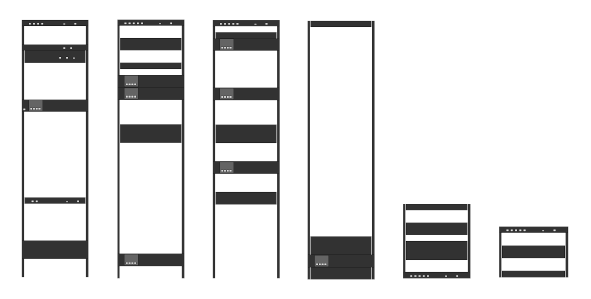
Create detailed diagrams of your entire rack with one click. Generate comprehensive visual documentation that includes front and rear views, cable routing diagrams, and power distribution layouts. Export to multiple formats including PDF, SVG, and high-resolution images.

  • Front and rear rack elevation views
  • Cable routing and connection diagrams
  • Power distribution visualization
  • Export to PDF and image formats
  • Automated labeling and annotations
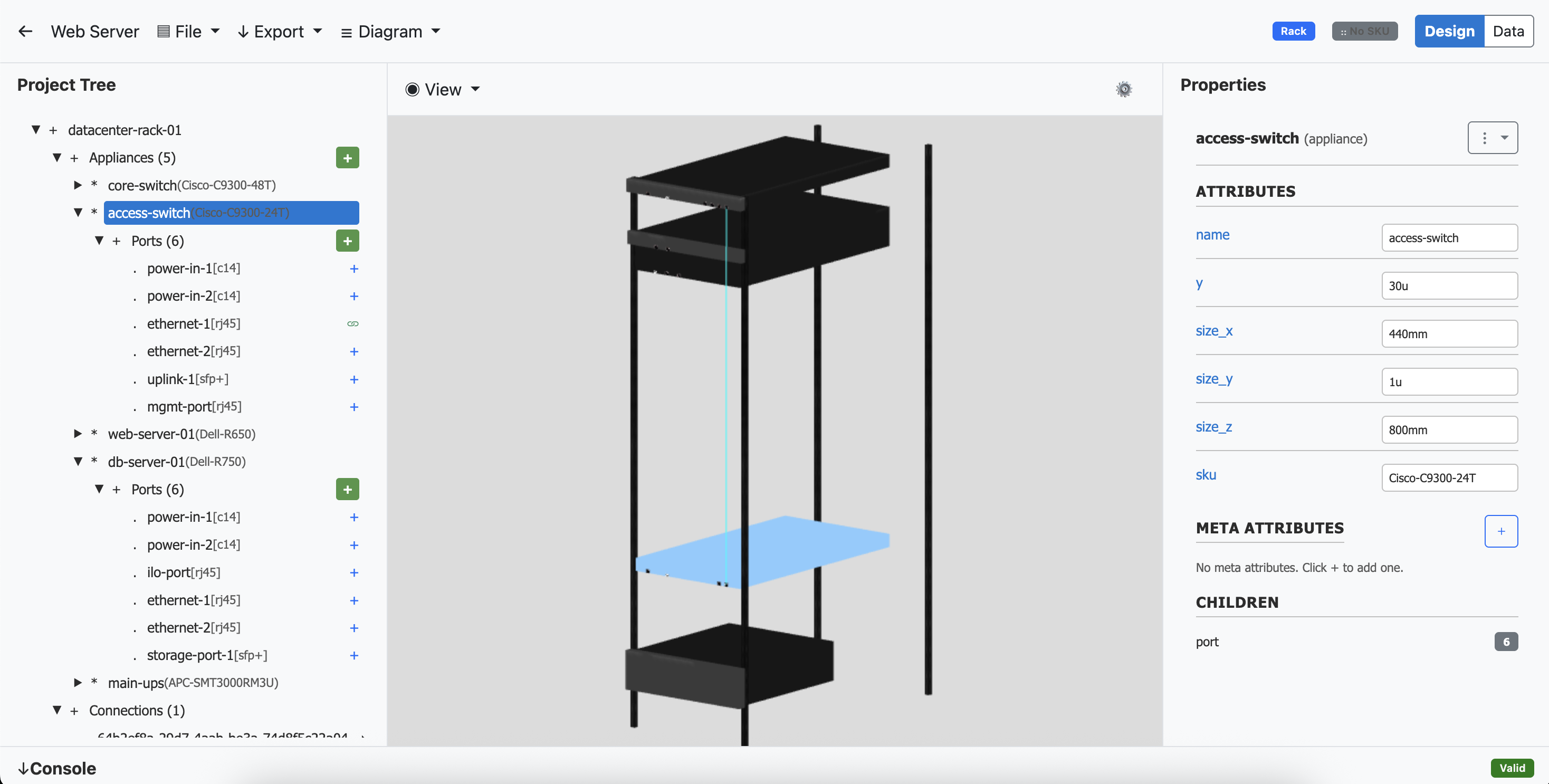
A screenshot of a 3D datacenter rack containing various servers and connections

Data-driven rack engine

You aren't drawing pictures of your rack - everything in your rack is a dynamic object with attributes that correspond to real-world specifications. Our intelligent rack engine understands the physical constraints and capabilities of your equipment, enabling automatic validation and optimization of your rack configurations.

  • Network ports with speed and protocol specifications
  • Modular slots and expansion card compatibility
  • Standardized rack unit dimensions and mounting constraints
  • Weight distribution and structural load calculations
  • Cable management and routing optimization
  • Real-time conflict detection and resolution
  • Equipment compatibility validation
A screenshot of a 3D datacenter rack containing various servers and connections

Appliance library

Import from our comprehensive library of switches, servers, and other data center equipment. Every device is modeled with standardized specifications that remain consistent across all manufacturers, ensuring seamless integration and compatibility validation.

  • Standardized power consumption specifications across all vendors
  • Unified port and connection definitions regardless of manufacturer
  • Consistent rack unit measurements and mounting specifications
  • Normalized weight and thermal characteristics
  • Vendor-agnostic component compatibility validation
  • Standardized expansion slot and module specifications

Connection management

Model any type of connection between devices in your rack with comprehensive cable and connection management. Track physical connections, logical relationships, and signal paths between all your equipment with automatic validation and conflict detection.

  • Physical cable connections with length and type specifications
  • Network topology mapping and VLAN assignments
  • Power distribution and redundancy tracking
  • Fiber optic and copper cable management
  • Port utilization and capacity planning

3D editor

Build your rack in a full 3D CAD environment with tools designed specifically for working with racks and data center equipment. Our intuitive 3D editor provides precision editing capabilities that bridge the gap between conceptual design and real-world implementation.

  • Real-time 3D visualization with pan, zoom, and rotate controls
  • Precision snap-to-grid positioning for accurate placement
  • Multi-view perspective including front, rear, and isometric views
  • Interactive component selection and property editing
  • Visual collision detection for mounting conflicts
  • Automated cable routing with 3D path visualization
  • Export rack to .STL format for use in other applications

XML interface

OpenRack supports import/export of RML (Rack Markup Language), an XML-based format for describing racks, appliances, expansion cards, and connections. This standardized format provides a foundation for automated rack configuration and deployment workflows.

  • Complete rack configuration export including all devices and connections
  • Appliance definitions with full specification details
  • Connection mapping and cable routing information
  • Integrate with CI/CD pipelines for infrastructure as code

View RML Documentation

Appliance builder

Create custom appliance definitions when the equipment you need isn't available in our standard library. Our appliance builder provides a comprehensive interface for defining every aspect of your custom devices, from physical dimensions to network ports and power requirements.

  • Define custom rack unit dimensions and mounting requirements
  • Specify network port configurations with speed and protocol support
  • Configure expansion slots and modular component compatibility
  • Define cable management

Built appliances can be shared across your organization and imported into any rack design, ensuring consistency and reusability of your custom equipment specifications.

Pricing

Pro

$996/yr*
10 user seats
Unlimited projects
Appliance library
Rack editor
Appliance editor
RML import/export
Basic support
*Billed as $83 per month; 14-day free trial

Enterprise

Contact us for pricing
Unlimited user seats
Unlimited projects
Appliance library
Rack editor
Appliance editor
RML import/export
Dedicated technical contact
On-demand infrastructure consultation
One-click equipment ordering
Support

Get help with your RackML account and technical issues.

Contact Support
Documentation

Learn how to use RackML with our comprehensive guides.

View Docs
Start Trial

Try RackML Pro free for 14 days with full access.

Start Free Trial
RackML Logo

© 2025 Logistic Support Alliance, LLC. All rights reserved.